
How to Design a Custom Logo Mat: A Step-by-Step Guide for Any Business

Table of Contents
- Why Your Logo Mat Matters More Than You Think
- Step 1: Choose the Right Size for Your Entrance
- Step 2: Pick Your Printing Method
- Step 3: Prepare Your Artwork File
- Step 4: Design for Your Environment, Not Just Your Brand
- Step 5: Choose Your Material and Backing
- Step 6: Proof, Order, and Maintain
- Digital Print vs. Yarn-Dyed: Which Is Right for You?
- FAQ
- Sources
Designing a custom logo mat starts with three things: your logo file, your mat size, and the right printing method for your space. Get those three right, and the rest of the process is surprisingly simple. Get them wrong, and you end up with a blurry, ill-fitting mat that does more harm than good to your brand.
Most businesses treat a logo mat like an afterthought. But your entrance mat is often the very first branded thing a visitor touches, walks on, and notices. Research from Princeton University shows people form impressions within just 7 seconds of entering a space. Your mat is working hard in those 7 seconds, whether you designed it thoughtfully or not.
This guide walks you through every step of designing a custom logo mat, from picking your size to uploading your file and choosing the right materials for your traffic level.
Quick-Reference Summary:
- Use vector files (AI, EPS, SVG, or PDF) for the sharpest logo reproduction
- Match your mat size to your entrance: 3'x5' to 4'x6' covers most commercial doorways
- Choose digital print for complex, full-color logos; yarn-dyed for heavy-traffic durability
- Rubber backing (nitrile for outdoors, vinyl for indoors) prevents slipping and keeps you ADA-compliant
- Mylogomat's online designer tool makes it easy to proof your design before ordering
Table of Contents:
- Why your logo mat matters more than you think
- Step 1: Choose the right size for your entrance
- Step 2: Pick your printing method
- Step 3: Prepare your artwork file
- Step 4: Design for your environment, not just your brand
- Step 5: Choose your material and backing
- Step 6: Proof, order, and maintain
- Digital print vs. yarn-dyed: which is right for you?
- FAQ
Why Your Logo Mat Matters More Than You Think
Picture this: a new customer walks into your store or office for the first time. Before they see your staff, your signage, or your products, they look down. That mat underfoot is your silent brand ambassador.
It's also doing a second job. According to the Carpet and Rug Institute, a properly placed entrance mat captures up to 80% of dirt and moisture within the first 10 to 12 feet of an entry. So you're not just making a brand statement. You're protecting your floors, cutting cleaning costs, and keeping people safer.
Here's a number that reframes the whole investment. Say your mat costs $200 and your store sees 500 visitors a day. Over 18 months, that works out to roughly $0.0007 per branded impression. Compare that to digital display ads running $2 to $5 per thousand impressions. Your logo mat might be the most cost-effective marketing channel you've been ignoring.
Step 1: Choose the Right Size for Your Entrance
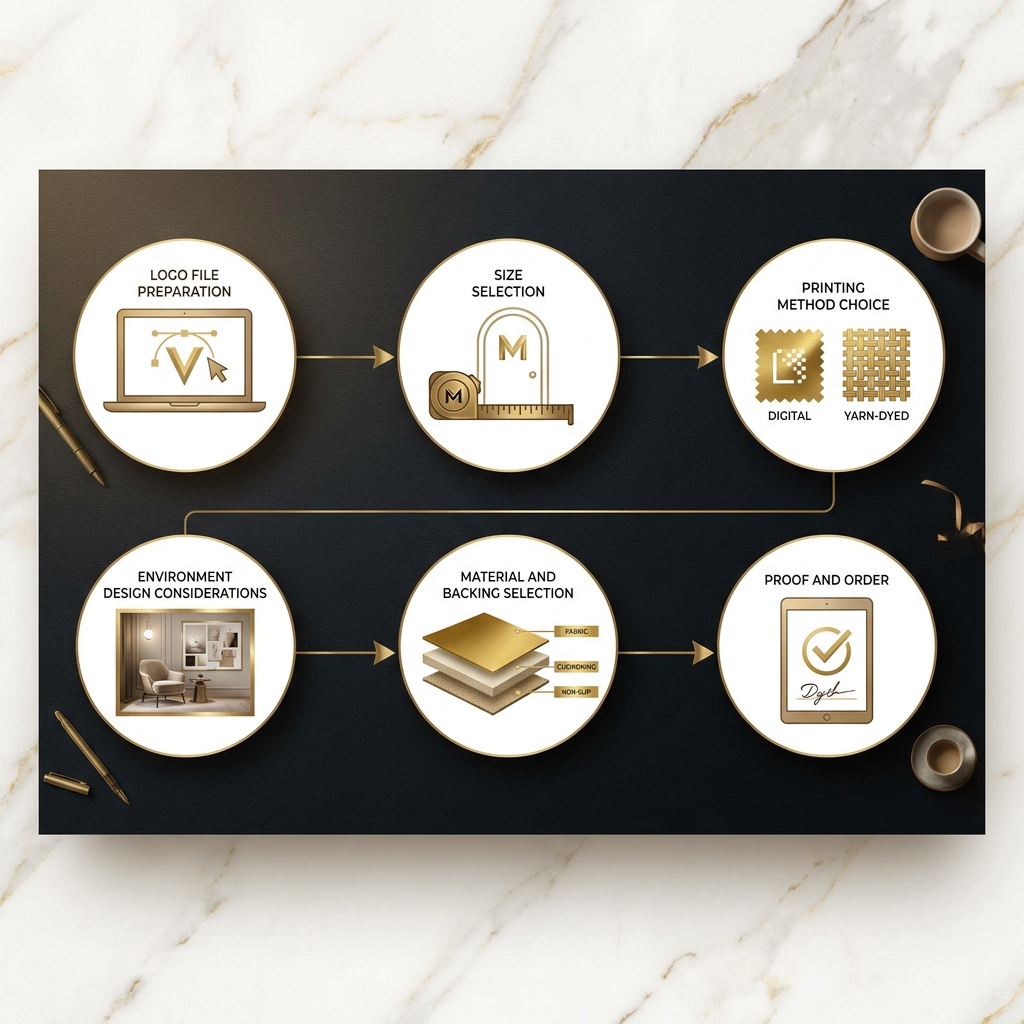
Undersized mats are one of the most common mistakes businesses make. A mat that's too small looks awkward, misses most of the foot traffic, and fails at the dirt-capture job it's supposed to do.
A simple rule: your mat should be wide enough that nearly every person entering has to step on it. For a standard commercial doorway, that usually means at least 3 feet wide. Most single-entry commercial spaces do well with a 3'x5' or 4'x6' mat. Larger lobby areas or double doors often need something bigger.
Some quick benchmarks:
- Small retail counter or reception desk: 2'x3'
- Standard single commercial entrance: 3'x5'
- Hotel lobby or wide double-door entry: 4'x8' or custom
- Point-of-purchase or aisle display: depends on the display format
If your entrance is an unusual shape, that's not a problem. Custom shape logo mats are a real option, and they make a seriously memorable impression when your mat echoes the outline of your logo or an architectural feature.
When in doubt, go slightly bigger. A mat that fills the space looks intentional. One that floats in the middle of a large entryway looks forgotten.
Step 2: Pick Your Printing Method
This decision shapes everything else, including your color options, your budget, and how long the mat holds up.
Digital printing (like Mylogomat's Ultraprint High Definition mats) uses inkjet-style technology to reproduce your logo with photographic precision. You can have unlimited colors, gradients, photos, and fine details. It's the right call when your logo is complex or you want something that genuinely stops people in their tracks.
Yarn-dyed (tufted or woven) mats are built differently. Your design gets created by weaving different colored yarns into the mat face. This method is extremely durable, holding up to 100,000-plus footfalls per year for 3 to 5 years, but it's limited to roughly 12 to 20 colors and loses fine detail.
One thing most vendors won't tell you upfront: nylon fibers have a "memory" that polypropylene doesn't. After heavy foot traffic compresses the pile, nylon springs back. Polypropylene mats down and stays flat, which makes your logo harder to read within months in a busy entrance. Small detail, big practical difference.
Step 3: Prepare Your Artwork File
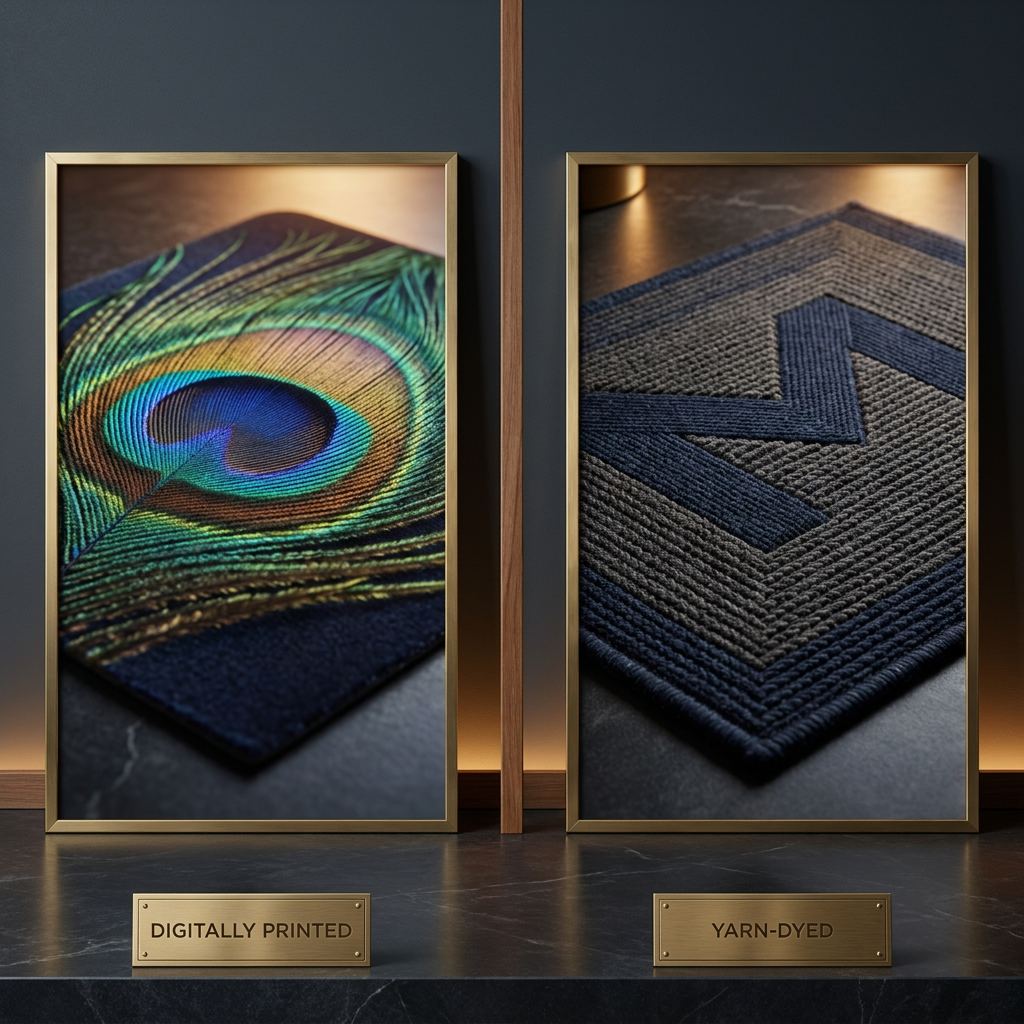
This is where a lot of businesses trip up. You send over a logo you've been using for years, and the mat comes back looking pixelated or muddy. Here's why that happens and how to avoid it.
Vector files are the gold standard. Formats like AI, EPS, SVG, and PDF store your logo as a mathematical formula rather than a fixed grid of pixels. That means they scale to any size without losing sharpness. If your designer built your logo in Adobe Illustrator or a similar program, you likely have a vector file somewhere.
Raster files (JPG, PNG) can work if they're high enough resolution. The minimum is 300 DPI at the actual print size. A logo that's 72 DPI and 2 inches wide on your screen will look terrible printed at 3 feet wide. Not sure what you have? Send it to Mylogomat's team and they'll tell you right away.
A few other file tips worth knowing. Outline your fonts before saving to prevent font-substitution errors. Use your official Pantone (PMS) color codes if you have them. Color increases brand recognition by up to 80% (Loyola University Maryland study), and Pantone-matched printing protects that consistency. For yarn-dyed mats specifically, avoid very thin lines (under 3mm) and tiny text (under 12pt). Those details get lost in the weave structure no matter how clean your file is.
Step 4: Design for Your Environment, Not Just Your Brand
Most design guides get this backwards. They start with "what looks cool?" You should start with "where is this mat going and what does it need to survive?"
Where will the mat live? Outdoor mats face UV exposure, rain, and grit. You need a more aggressive fiber and water-resistant backing. Indoor mats give you more flexibility.
How much foot traffic will it see? A corporate office lobby with 200 visitors a day is a completely different situation from a hospital entrance seeing 3,000. High-traffic environments need durability over aesthetics.
What's the lighting like? Dark mats in dim lobbies can look great in photos and disappear in real life. Bright, high-contrast designs tend to read better across different lighting conditions. Honestly, this is worth thinking through before you finalize anything.
Are there seasonal considerations? Retail brands and hotels often keep a rotation of 2 to 3 mats per entrance: one primary branded mat, one seasonal or promotional version, and one in the cleaning cycle. This approach drives better brand variety and extends the life of each individual mat.
Step 5: Choose Your Material and Backing
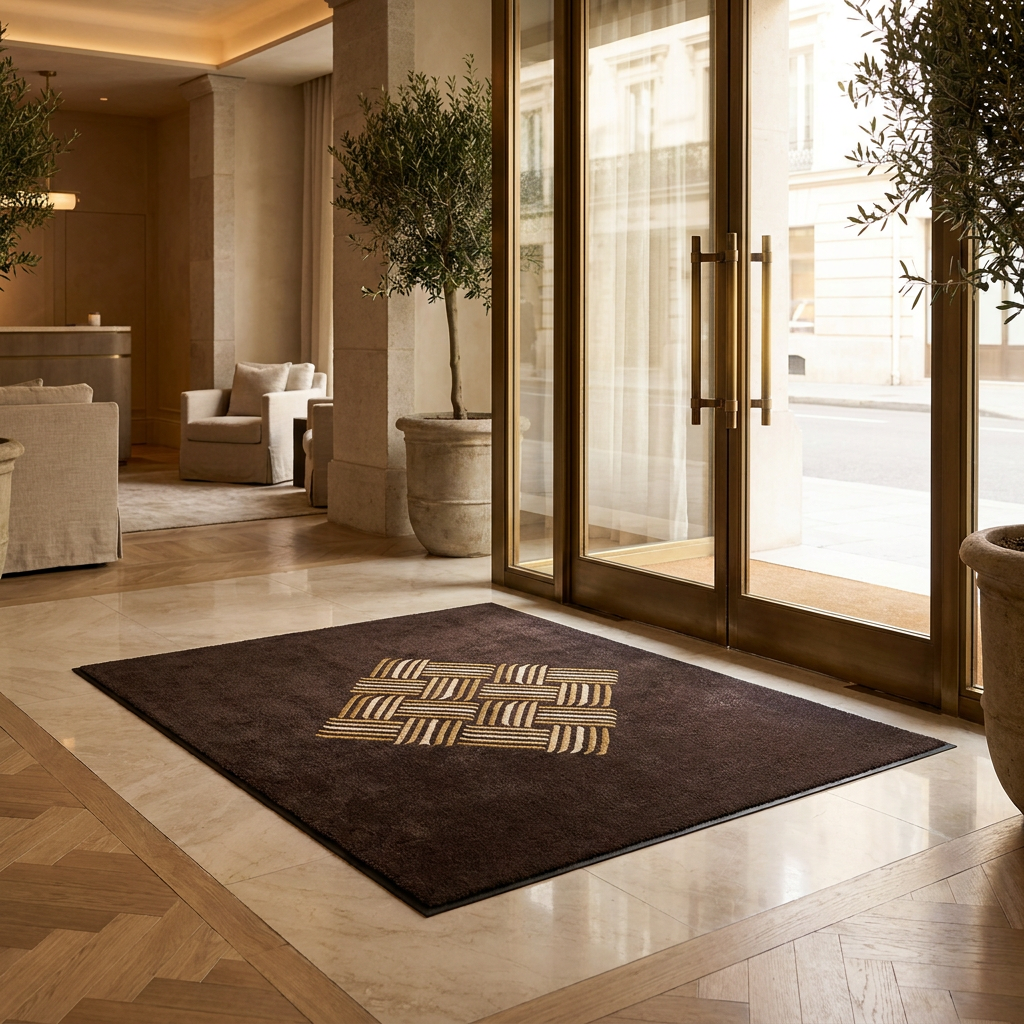
Once you know your environment, the material choice becomes much clearer.
For the mat face, nylon is the best all-around choice. It's the most abrasion-resistant, holds color well, and has that fiber memory we mentioned earlier. Polypropylene is budget-friendly and fine for low-traffic indoor use, but it mats down over time. Olefin (solution-dyed) offers good moisture resistance and works well for outdoor or wet-entry applications.
For the backing, nitrile rubber is the best choice for outdoor and wet-entry areas. It stays flexible in cold temperatures and won't crack or curl. Vinyl or PVC is cost-effective and perfectly suitable for dry indoor use.
On compliance: ADA and OSHA guidelines require entrance mats to be no thicker than half an inch, with beveled edges to prevent trip hazards. Slip-and-fall accidents cost U.S. businesses over $70 billion annually (National Floor Safety Institute), so this isn't just a technicality. Mylogomat's product lineup is built with those standards in mind, which saves you a step.
Step 6: Proof, Order, and Maintain
Once your file is ready and your specs are set, the ordering process at Mylogomat is genuinely straightforward. Their online designer tool lets you visualize your mat before it goes to production. Take your time here. Check your logo placement, verify your colors, and make sure text is readable at the mat's actual dimensions.
Standard production for custom logo mats runs 5 to 15 business days. Rush options are available if you're working toward a grand opening, event, or seasonal swap. Plan ahead and you won't need to pay for speed.
Even the best mat needs regular care to keep looking sharp. Vacuum or shake out loose dirt daily in high-traffic areas. Deep clean monthly with mild detergent and water, then rinse thoroughly. Rotate mats in multi-mat systems to even out wear, and check the backing periodically for curling, which is a slip hazard. For more detail on caring for your specific mat type, Mylogomat's blog and resource guides have solid maintenance breakdowns worth bookmarking.
Digital Print vs. Yarn-Dyed: Which Is Right for You?
Use this table as your quick decision tool.
| Factor | Digital Print (Ultraprint) | Yarn-Dyed / Tufted |
|---|---|---|
| Color range | Unlimited, full photo quality | 12 to 20 colors max |
| Fine detail | Excellent | Limited (no thin lines or tiny text) |
| Durability | 1 to 3 years under heavy traffic | 3 to 5+ years |
| Best for | Complex logos, gradients, photos | Simple logos, maximum lifespan |
| Traffic level | Low to moderate | Moderate to heavy |
| Price | Generally lower upfront | Higher upfront, better long-term value |
| Outdoor use | With proper backing, yes | Yes, very well-suited |
| Custom shapes | Yes | Limited |
As design experts note, matching your printing method to your actual use case, rather than just picking what looks best in a photo, is what separates a mat that lasts from one that disappoints six months in.
FAQ
How much does a custom logo mat cost? Prices typically range from around $50 for a small, simple indoor mat up to $500 or more for large, complex custom designs. Size, printing method, quantity, and material all affect the final price. Ordering more than one mat usually reduces the per-unit cost significantly.
Can I use my existing logo without redesigning it? Yes, in most cases. As long as you have a vector file (AI, EPS, SVG, PDF) or a high-resolution raster file (300 DPI minimum at print size), your existing logo should transfer well. Mylogomat's team can review your file and flag any issues before production begins.
What if my entrance has an unusual shape? Custom-shaped mats are a popular option. You can order a mat cut to follow the outline of your logo, the curve of a circular entryway, or any other shape your space calls for. Just be prepared to provide accurate measurements or a template.
How long will my custom logo mat last? It depends on the printing method and traffic volume. Digitally printed mats typically last 1 to 3 years under heavy use. Yarn-dyed and tufted mats hold up for 3 to 5 years or longer. Proper maintenance extends the life of both types significantly.
Do logo mats come with non-slip backing? Yes. Quality commercial logo mats always include rubber or vinyl backing to prevent slipping. Mylogomat's mats use rubber backing as standard, and the products meet ADA thickness guidelines with beveled edges to eliminate trip hazards.
Can I order the same mat for multiple locations? Absolutely, and it's one of the smartest ways to run a logo mat program. Ordering in bulk reduces cost per unit and keeps your branding consistent across every location. If your sites have different entrance sizes, you can order the same design in different dimensions to fit each space while keeping everything on-brand.
